
External Attack Surface Management (EASM)
Discover and secure your external attack surface. Automated mapping of your internet-facing assets, application scanning (OWASP Top 10 DAST), TLS auditing, passive scanning of exposed services, and continuous DNS monitoring.
The challenge: seeing what attackers see

Shadow IT
Services and resources launched outside of your IT control, invisible in your official inventory.

Subsidiaries and acquisitions
Every merger and acquisition adds layers of complexity and forgotten gray areas.

Constant evolution
Manual data collection, reconciling fragmented information, tedious audits. Risks are evolving faster than your ability to respond.
Mapping
External Attack Surface Management
Detect Shadow IT before attackers do.
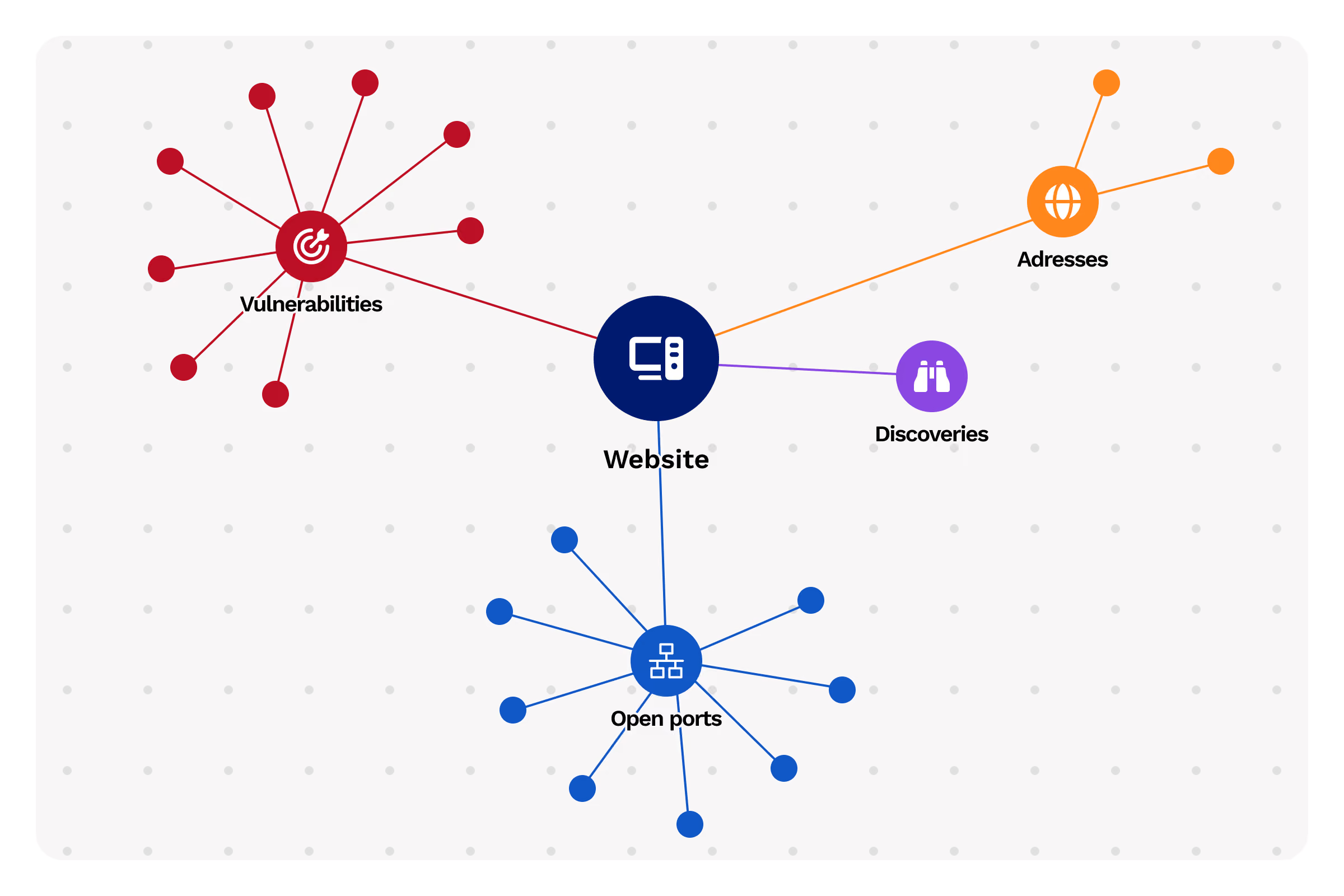
WHOIS Discovery
Identify all associated domains and records
- Item 1
- Item 2
- Item 3
DNS Enumeration
Map subdomains and network services
- Item 1
- Item 2
- Item 3
Certificate Transparency
Find every issued SSL/TLS certificate
- Item 1
- Item 2
- Item 3
Cloud Discovery
Discover exposed AWS, Azure, and GCP resources
- Item 1
- Item 2
- Item 3
Nmap Network Scans
Analyze open ports and active services
- Item 1
- Item 2
- Item 3
Network Equipment Discovery
Detect routers, switches, and network equipment
- Item 1
- Item 2
- Item 3
Application security scan
DAST & network target application scanning
For each target (IP, domain name, or URL), Cyberwatch combines a port scan of the 3,000 most common ports, a passive scan of exposed services, and an active application scan covering the OWASP Top 10. A single platform for a centralized view of your web and network exposure.
Port and service scanning
Cyberwatch identifies open ports, fingerprints exposed services, and automatically correlates detected versions with its CVE database.
3,000 ports scanned
The most commonly used ports are audited on every IP target, domain, or URL
- Item 1
- Item 2
- Item 3
Service fingerprinting
Detection of exposed versions and automatic matching with associated CVEs
- Item 1
- Item 2
- Item 3
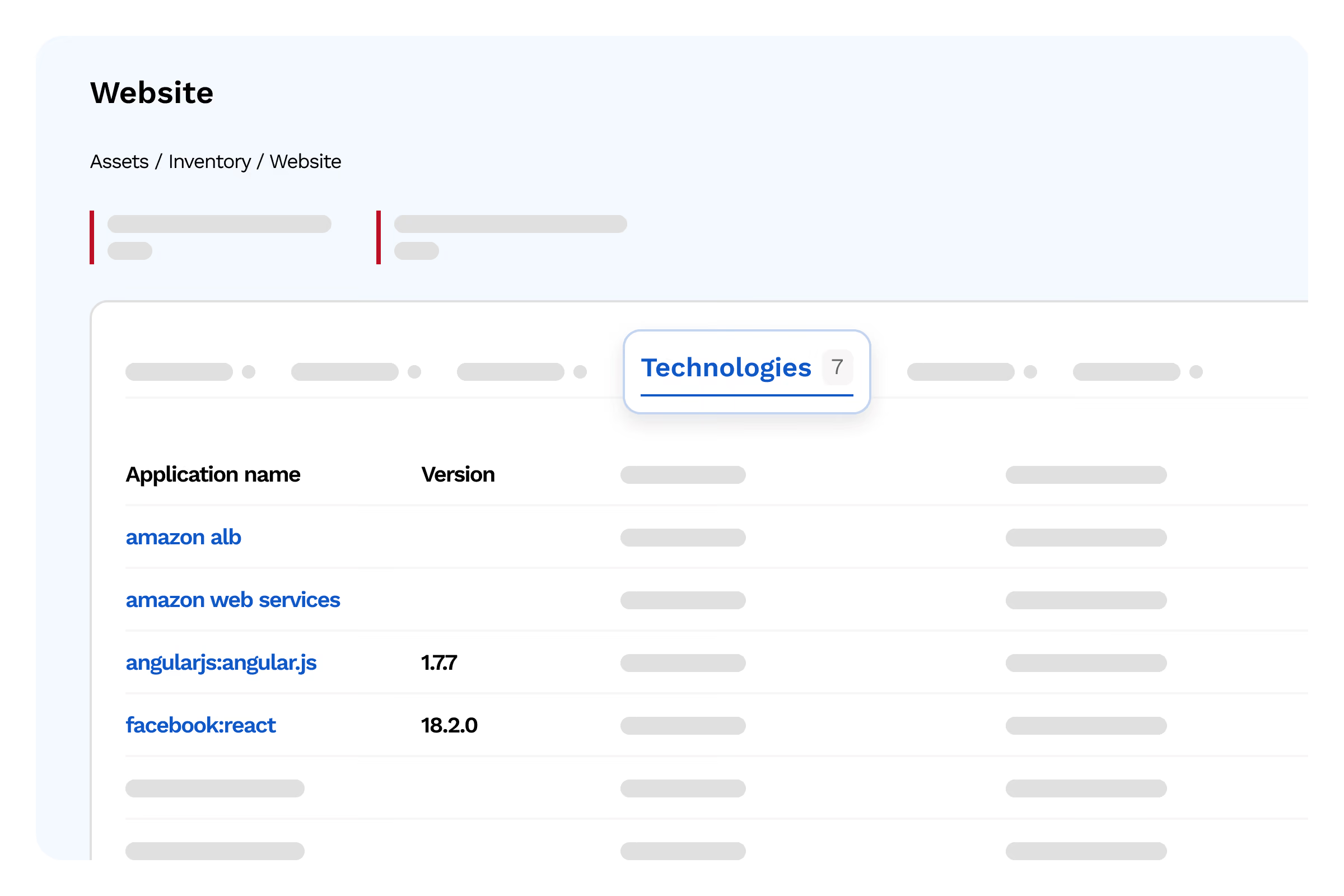
Customizable scan scope
Specific URL, page, folder, domain, or subdomain, with inclusion and exclusion lists
- Item 1
- Item 2
- Item 3
Passive scan: non-intrusive analysis
Passive scanning observes the target without aggressively probing applications. Ideal for sensitive production environments.
HTTP Headers & CSP
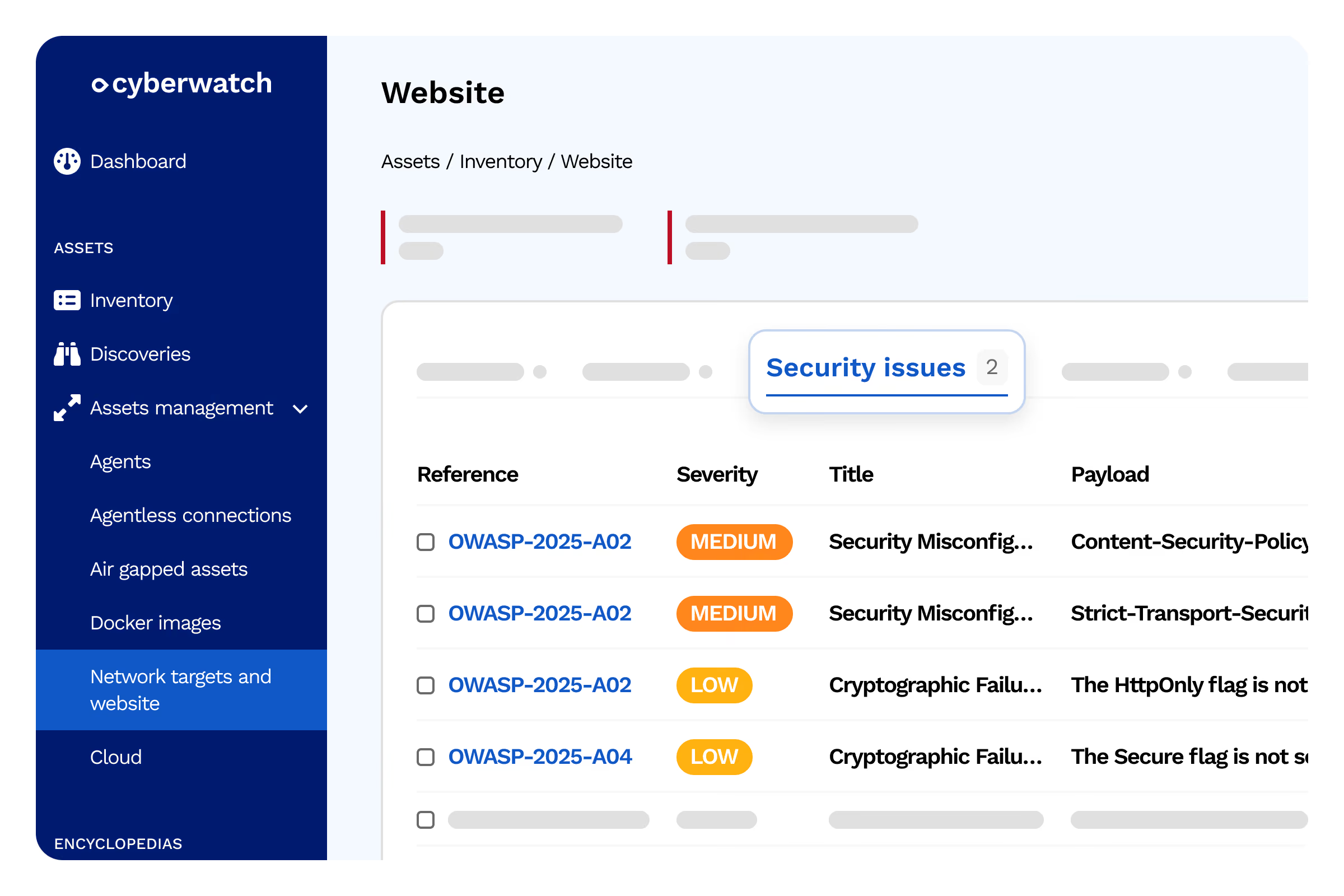
Detection of insecure configurations (Content Security Policy, cookie flags, missing headers)
- Item 1
- Item 2
- Item 3
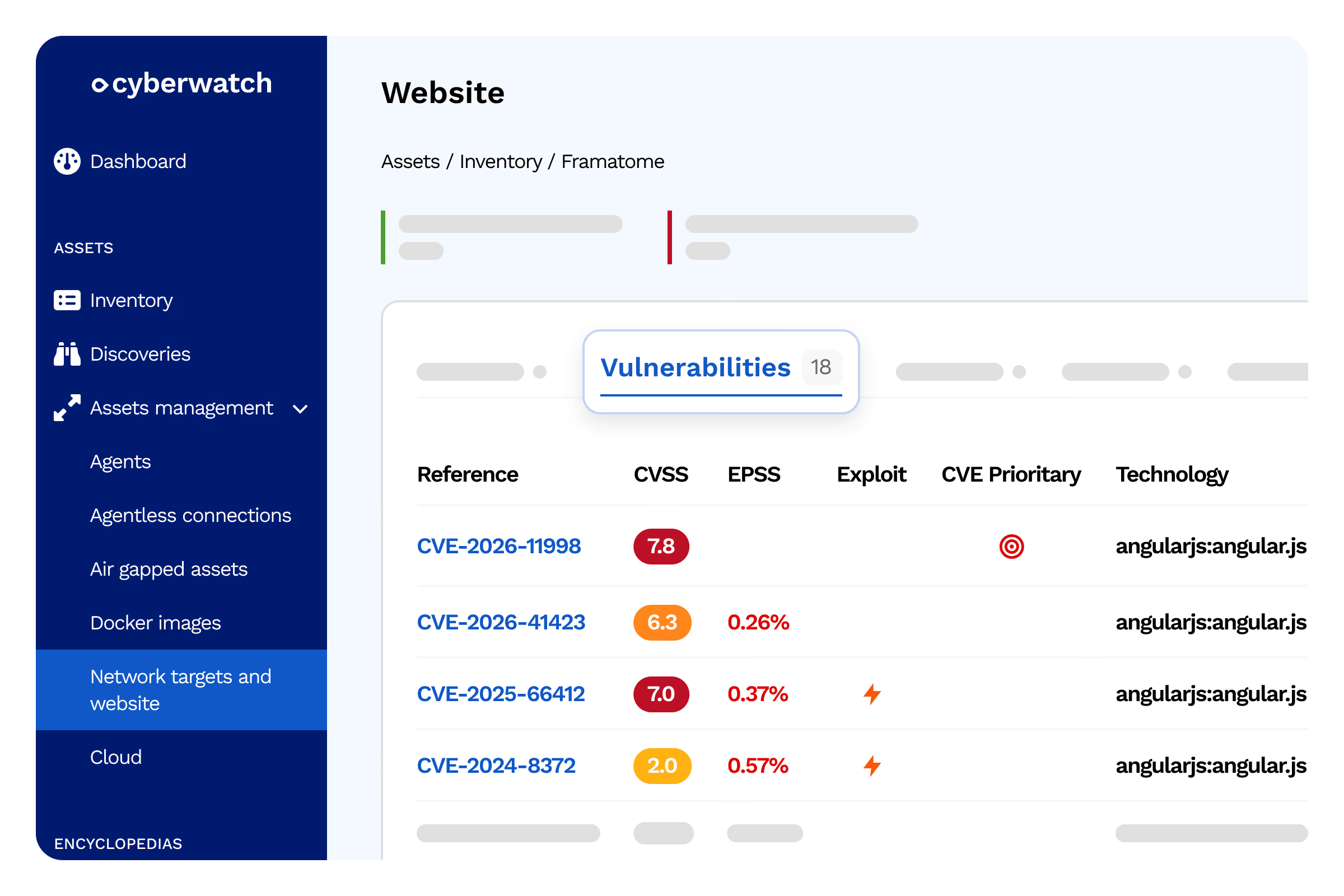
Technology Identification
Recognition of frameworks, CMS, JavaScript libraries, and web servers
- Item 1
- Item 2
- Item 3
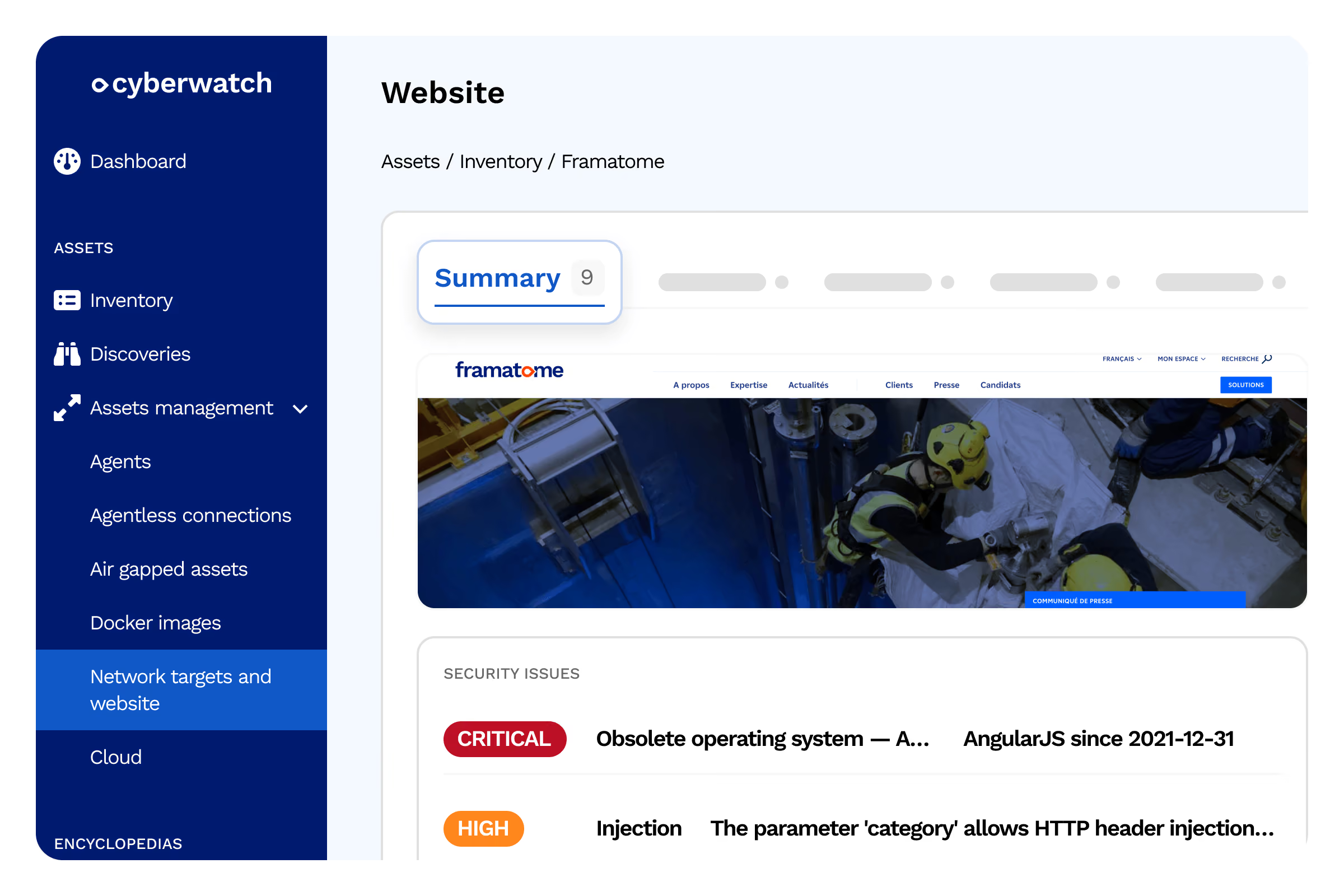
WordPress Enumeration
Detection of installed plugins and modules
- Item 1
- Item 2
- Item 3
Library inventory
Vulnerabilities in exposed front-end dependencies
- Item 1
- Item 2
- Item 3
TLS & certificate audit
On every port supporting TLS, Cyberwatch triggers a comprehensive cryptographic audit to identify risky configurations.
Cryptographic suites
Detection of weak or deprecated suites accepted by the service
- Item 1
- Item 2
- Item 3
Deprecated protocols
Identification of SSLv3, TLS 1.0/1.1, and legacy configurations
- Item 1
- Item 2
- Item 3
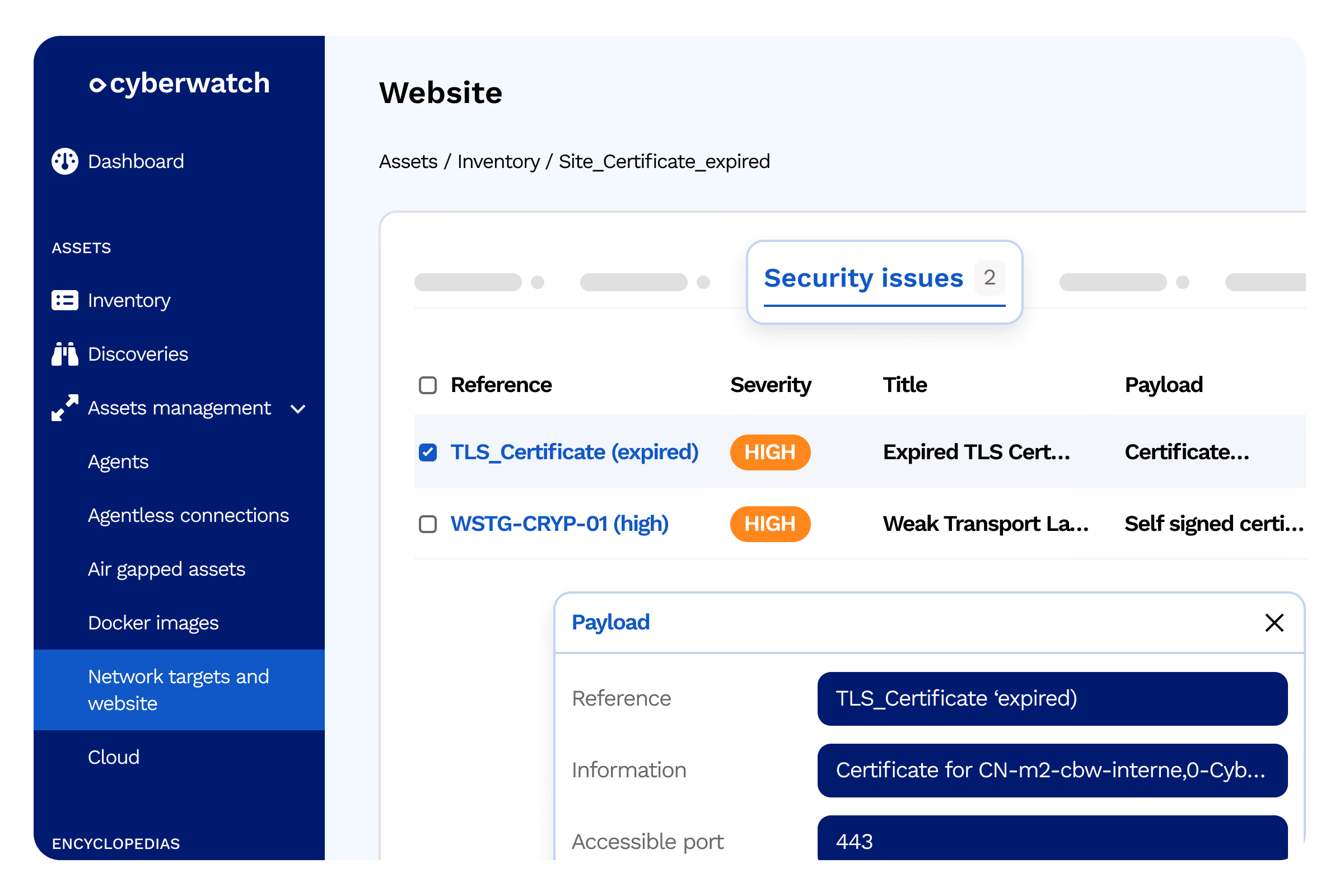
Certificate validity
Checks for expiration, incomplete chains, and self-signed certificates
- Item 1
- Item 2
- Item 3
Continuous monitoring
Automatic SSL/TLS certificate expiration tracking
- Item 1
- Item 2
- Item 3
OWASP Top 10 active scan
The Orignal engine crawls pages, forms, and injection points, then executes targeted attack modules to uncover real application vulnerabilities.
Injections
SQL, XSS, CRLF, and injection points detected via fuzzing
- Item 1
- Item 2
- Item 3
Form brute-forcing
Detection of vulnerable authentication forms
- Item 1
- Item 2
- Item 3
Open redirects
Detection of unvalidated redirects exploitable for phishing
- Item 1
- Item 2
- Item 3
HTTP methods & .htaccess
Auditing allowed verbs and accessible configuration files
- Item 1
- Item 2
- Item 3
Backup files
Identifying exposed files that could leak sensitive information
- Item 1
- Item 2
- Item 3
Log4Shell
Checking for the presence of the Log4j CVE
- Item 1
- Item 2
- Item 3
Headless mode — Single Page Applications
For modern JavaScript-based web applications, Cyberwatch launches a headless browser that interacts just like a real user.
SPA frameworks
Native coverage for Angular, React, Vue, and other JS frameworks
- Item 1
- Item 2
- Item 3
Dynamic execution
Detection of flaws related to JavaScript rendering and asynchronous calls
- Item 1
- Item 2
- Item 3
Configurable scan duration
Adjust crawl time and maximum time per module for complex applications
- Item 1
- Item 2
- Item 3
Authenticated scans & Swagger integration
To perform authenticated scans, Cyberwatch uses a stored set of credentials and all standard industry methods.
HTTP Basic, Digest, NTLM
Native methods compatible with Windows and legacy environments
- Item 1
- Item 2
- Item 3
POST form
Form-based authentication for custom applications
- Item 1
- Item 2
- Item 3
HTTP Bearer (JWT)
Token transmission in the `Authorization` header for every request
- Item 1
- Item 2
- Item 3
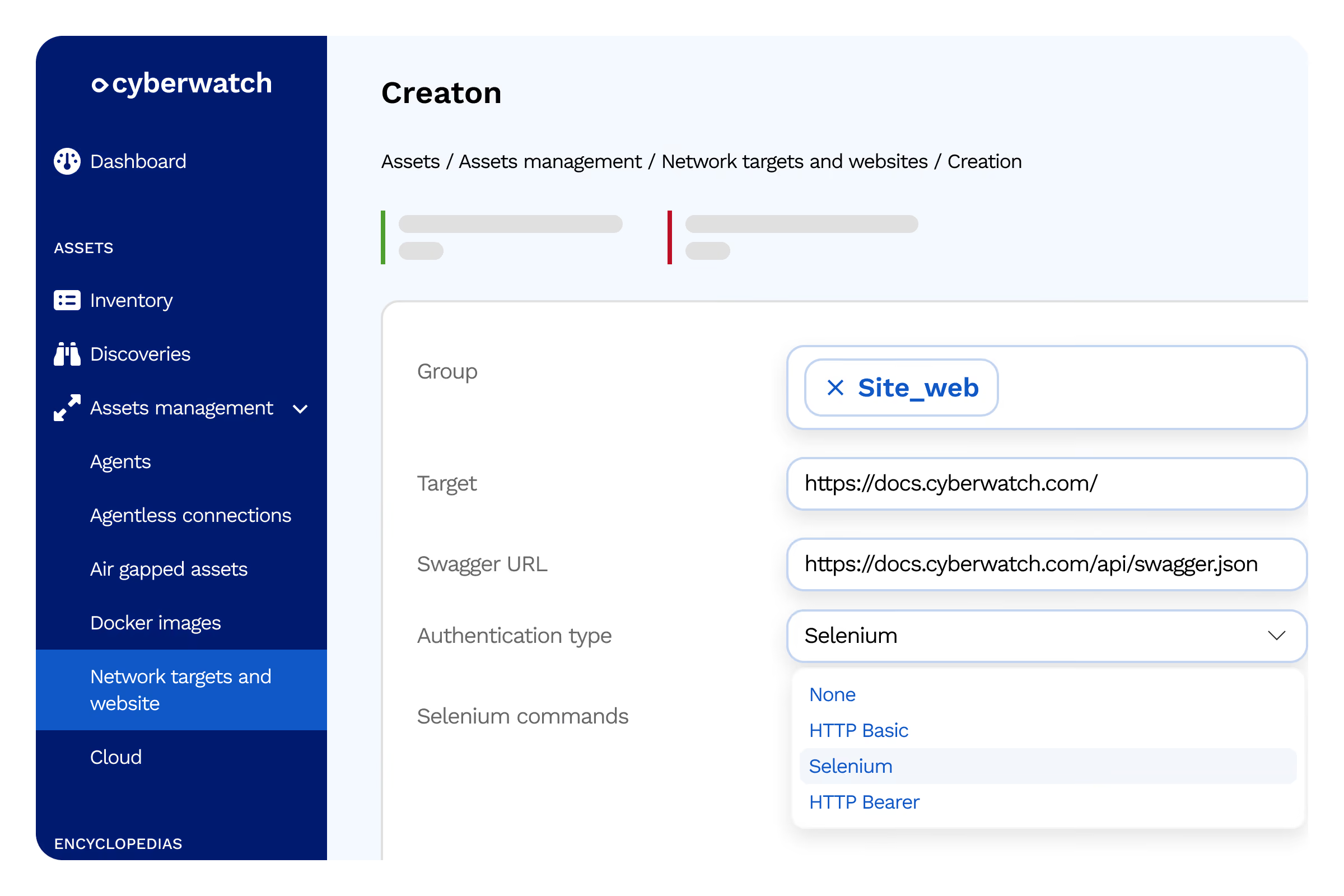
Cookie & Selenium
Reuse session cookies or replay automated actions via a `.side` file
- Item 1
- Item 2
- Item 3
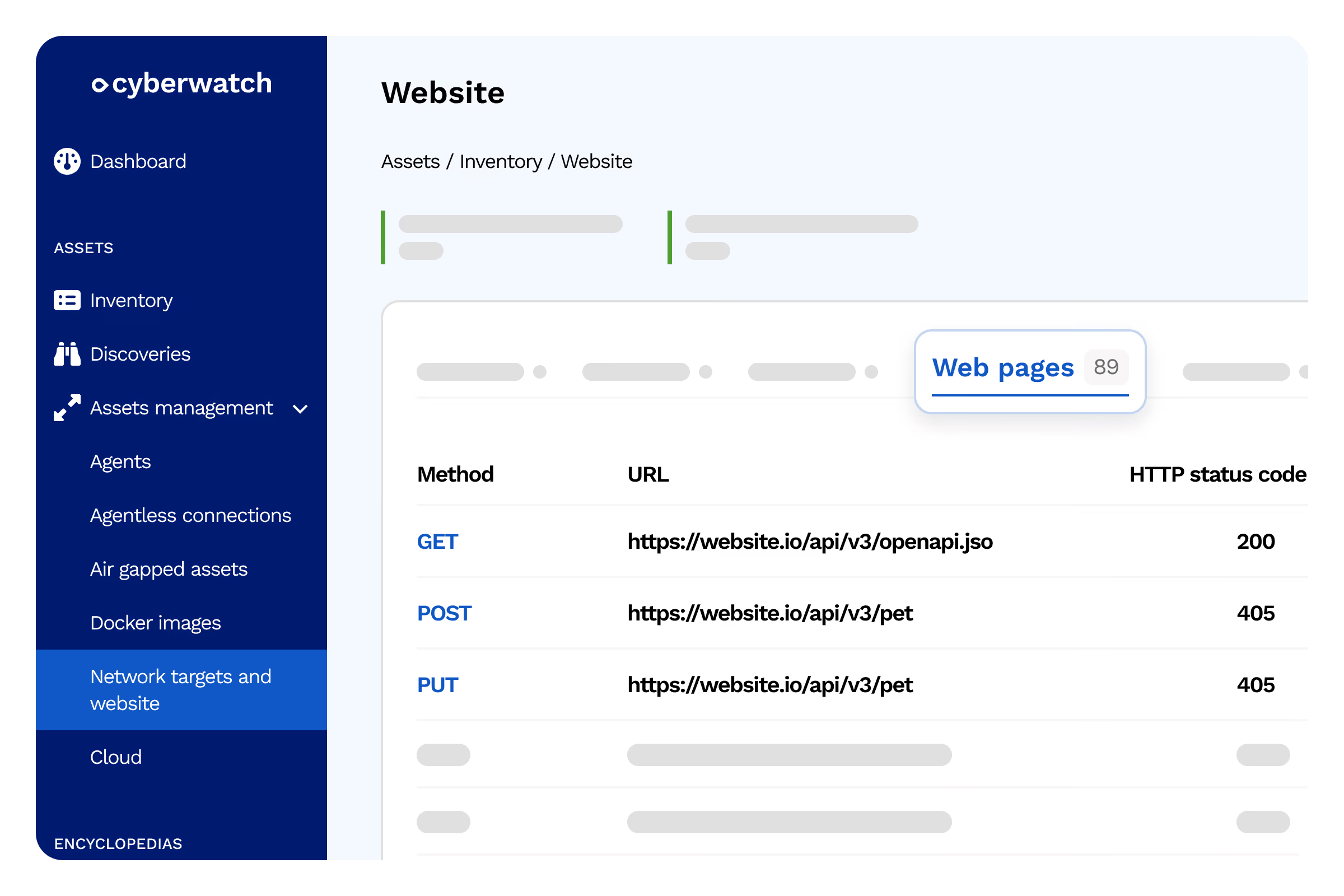
Import Swagger / OpenAPI
Automatically add routes described in a YAML or JSON file
- Item 1
- Item 2
- Item 3
API
API Scanning
Eliminate shadow OT with automatic, non-intrusive mapping. Cyberwatch automatically discovers your industrial assets using two complementary methods, without disrupting your production processes.
Automated API discovery
OpenAPI Specification, Swagger, and WSDL analysis
Fuzzing and payload testing
Send unexpected data to reveal vulnerabilities
Auth/authz flaws
Identify missing access controls
Injections and bypasses
Test validation limits
CORS and header misconfigurations
Detect missing security headers
OWASP API Top 10
Comprehensive API risk coverage
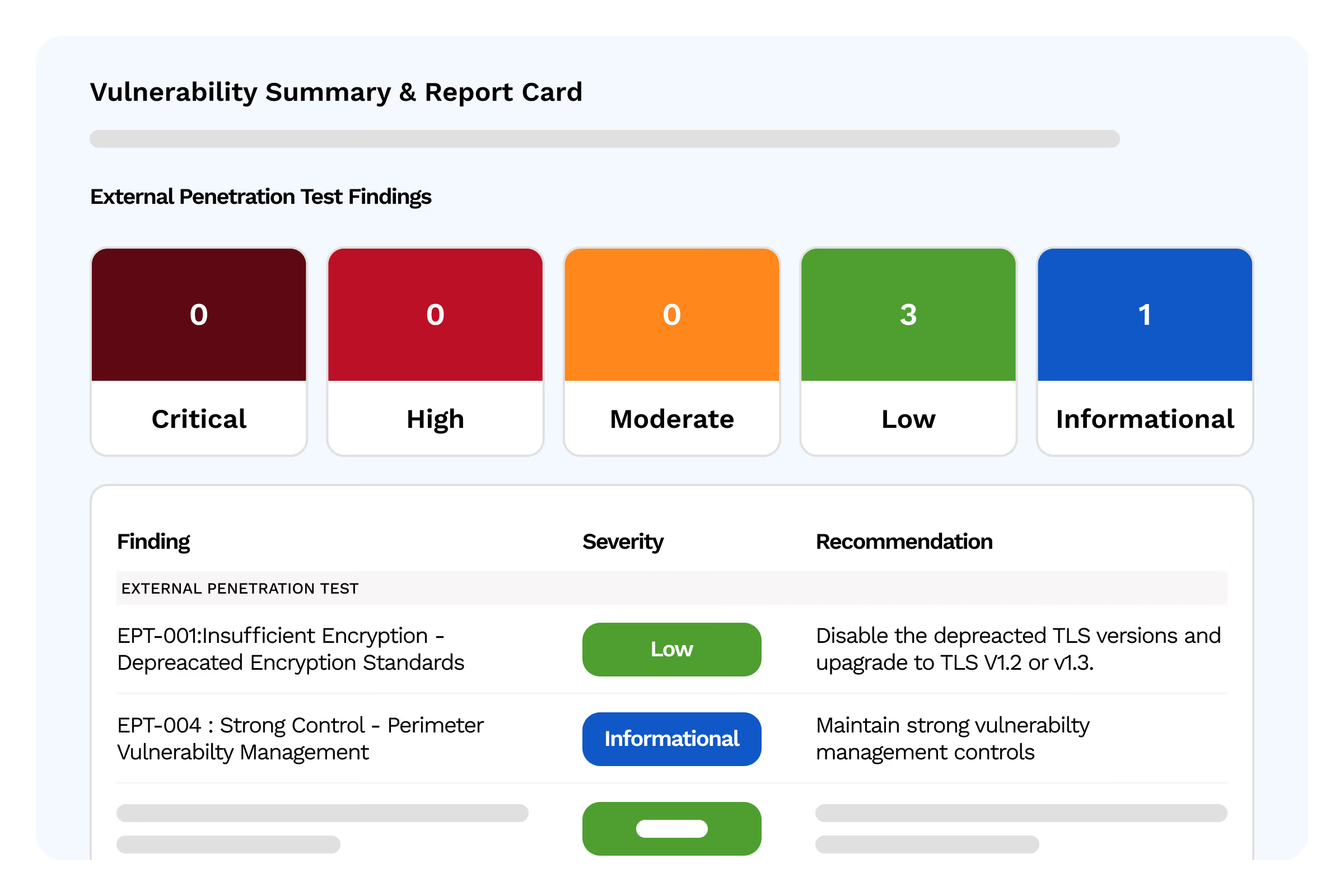
penetration testing
Pentesting: real-world attack simulations
Eliminate shadow OT with automatic, non-intrusive mapping. Cyberwatch automatically discovers your industrial assets using two complementary methods, without disrupting your production processes.
Simulated attacks
Replicate real-world adversary tactics
- Item 1
- Item 2
- Item 3
External validation
Confirm every vulnerability in the real-world environment
- Item 1
- Item 2
- Item 3
Proof of exploitation
Demonstrate the impact, not just the theoretical risk
- Item 1
- Item 2
- Item 3
Remediation recommendations
Concrete steps to fix every flaw
- Item 1
- Item 2
- Item 3
Compliance reports
Documentation for audits and certifications
- Item 1
- Item 2
- Item 3
Testimonials
The platform centralizes both our PCI compliance for online billing operations and our broader IT vulnerability management, which simplifies our security oversight.

CISO, energy
CISO

Quarterly ASV scans and the supplementary pentest provide us with a comprehensive view of our PCI DSS compliance, with reports that are directly actionable for our QSA auditors.
Payment Security Manager, Finance
Payment Security Manager
Hardening our configurations according to CIS Benchmarks allowed us to close entry points we hadn't even considered, all without interrupting our production.
Systems Administrator, industry
Systems and Network Administrator
Continuous auditing of our Active Directory revealed several poorly managed privileged accounts, which we were able to remediate quickly.
CISO, healthcare
CISO
Pouvoir déployer une console complète isolée d'Internet, avec mise à jour manuelle de la base de vulnérabilités, était un prérequis pour certains de nos environnements les plus critiques.
Exemple à remplacer — Responsable sécurité, secteur public
Responsable sécurité des systèmes d'information
Le mode air-gap totalement déconnecté correspond exactement à nos exigences de sécurité pour les systèmes les plus sensibles, sans compromis sur la qualité de la détection.
Exemple à remplacer — Responsable SSI, défense
Responsable de la sécurité des systèmes d'information
Le suivi de notre conformité NIS2 est désormais centralisé et actualisé en continu, ce qui simplifie considérablement nos rapports aux autorités compétentes.
Exemple à remplacer — RSSI, énergie
RSSI
La génération automatisée de preuves d'audit nous fait gagner un temps précieux lors de nos revues de conformité DORA et de nos échanges avec nos auditeurs.
Exemple à remplacer — Responsable conformité, finance
Responsable conformité
La formation Cyberwatch Certified Professional a permis à nos équipes de monter en compétence rapidement et d'exploiter pleinement les fonctionnalités de remédiation de la plateforme.
Exemple à remplacer — Responsable IT, industrie
Responsable infrastructure IT
Le patch management intégré et les tickets générés automatiquement dans notre outil ITSM ont nettement réduit nos délais de correction.
Exemple à remplacer — DSI, secteur public
DSI
Avec des centaines de dispositifs médicaux à surveiller, la priorisation par criticité métier nous permet de ne pas nous disperser tout en respectant la continuité des soins.
Exemple à remplacer — RSSI, santé
RSSI
Le scoring contextuel nous aide à concentrer nos équipes sur les vulnérabilités qui présentent un risque réel pour nos installations, plutôt que de traiter des milliers de CVE sans distinction.
Exemple à remplacer — Responsable cybersécurité, énergie
Responsable cybersécurité
Pouvoir cartographier nos environnements sensibles sans connexion réseau permanente était une exigence non négociable. Cyberwatch répond à cette contrainte tout en gardant un inventaire à jour.
Exemple à remplacer — Officier sécurité, défense
Officier de sécurité des systèmes d'information
La cartographie automatique de nos actifs nous a permis de découvrir des serveurs oubliés que nos audits précédents n'avaient jamais identifiés. C'est un vrai gain de visibilité sur notre Shadow IT.
Exemple à remplacer — Responsable sécurité, finance
Responsable sécurité IT
L'accompagnement de l'équipe Cyberwatch a été déterminant pour déployer la plateforme sur nos sites de production sans perturber nos lignes. Le support dédié répond vite et comprend nos contraintes industrielles.
Exemple à remplacer — DSI, industrie
DSI
Avec Cyberwatch, nous avons enfin une vue exhaustive de notre parc informatique et pouvons prioriser nos actions de remédiation selon un risque réel plutôt qu'une simple liste de CVE. La plateforme s'intègre bien à nos contraintes de souveraineté.
Exemple à remplacer — RSSI, secteur public
RSSI
FAQ
From asset mapping to automated remediation.
What is EASM (External Attack Surface Management)?
EASM refers to the continuous discovery and monitoring of all assets exposed on the Internet: domains, subdomains, IPs, services, and applications. Unlike a declarative inventory, EASM automatically maps your actual attack surface, including Shadow IT, to detect exposures before attackers can exploit them.
What is the difference between passive and active scanning?
Passive scanning observes a target without interacting with it, posing no risk of disruption. It is well-suited for sensitive production environments. Active scanning directly interacts with the application (forms, injection points, etc.) to uncover actual vulnerabilities. Cyberwatch combines both approaches based on the criticality level of each exposed asset.
Can Cyberwatch scan modern web applications (SPAs)?
Yes, Cyberwatch includes a headless mode that launches a browser without a graphical interface to interact with modern JavaScript applications and Single Page Applications (SPAs) just as a real user would. This approach allows for the exploration of dynamic pages, client-side generated forms, and interactive workflows that are often invisible to traditional scanners that only analyze static source code.
What is a TLS audit and why is it important?
The TLS audit analyzes the cryptographic configuration of every port supporting this protocol, checking for obsolete versions, expired certificates, and weak cipher suites. Misconfigured TLS exposes your communications to interception or decryption attacks. Cyberwatch automatically triggers this audit across your entire external attack surface, with no manual configuration required.
How does Cyberwatch scan applications protected by authentication?
To analyze areas requiring a connection, Cyberwatch uses a stored set of credentials and supports all major authentication methods on the market. This allows for the coverage of vulnerabilities hidden behind logins, which are often the most critical as they are invisible from the outside without access.