
Configuration error detection and CIS Benchmarks compliance
Configuration errors are the most frequent and underestimated attack vector. Cyberwatch continuously audits your systems' compliance against CIS Benchmarks, ANSSI, national CERT hardening standards, and your own security policies.
Default configurations are rarely secure
A freshly installed server contains dozens of default configurations that make life easier for attackers: enabled unnecessary services, obsolete protocols, overly broad permissions, disabled logging, and weak password policies.
These configuration flaws are not CVEs. They are not detected by standard vulnerability scanners. Yet, they represent direct entry points for attackers and ransomware.
Shadow IT / OT

Unlisted equipment connected to the network without oversight represents invisible entry points for attackers.
Obsolete manual inventories

Excel files and self-reported inventories never reflect the reality on the ground. The gaps widen with every maintenance intervention.
Demanding regulations

NIS2, LPM, IEC 62443: regulations require an up-to-date inventory of critical industrial assets, complete with traceability and audit trails.
continuous audit
Continuous audit against recognized frameworks
CIS Benchmarks
Automated audit across all CIS Benchmarks: Windows Server, Linux (Ubuntu, RHEL, Debian), VMware, Docker, Kubernetes, AWS, Azure, Microsoft 365. Coverage of over 200 frameworks.
ANSSI
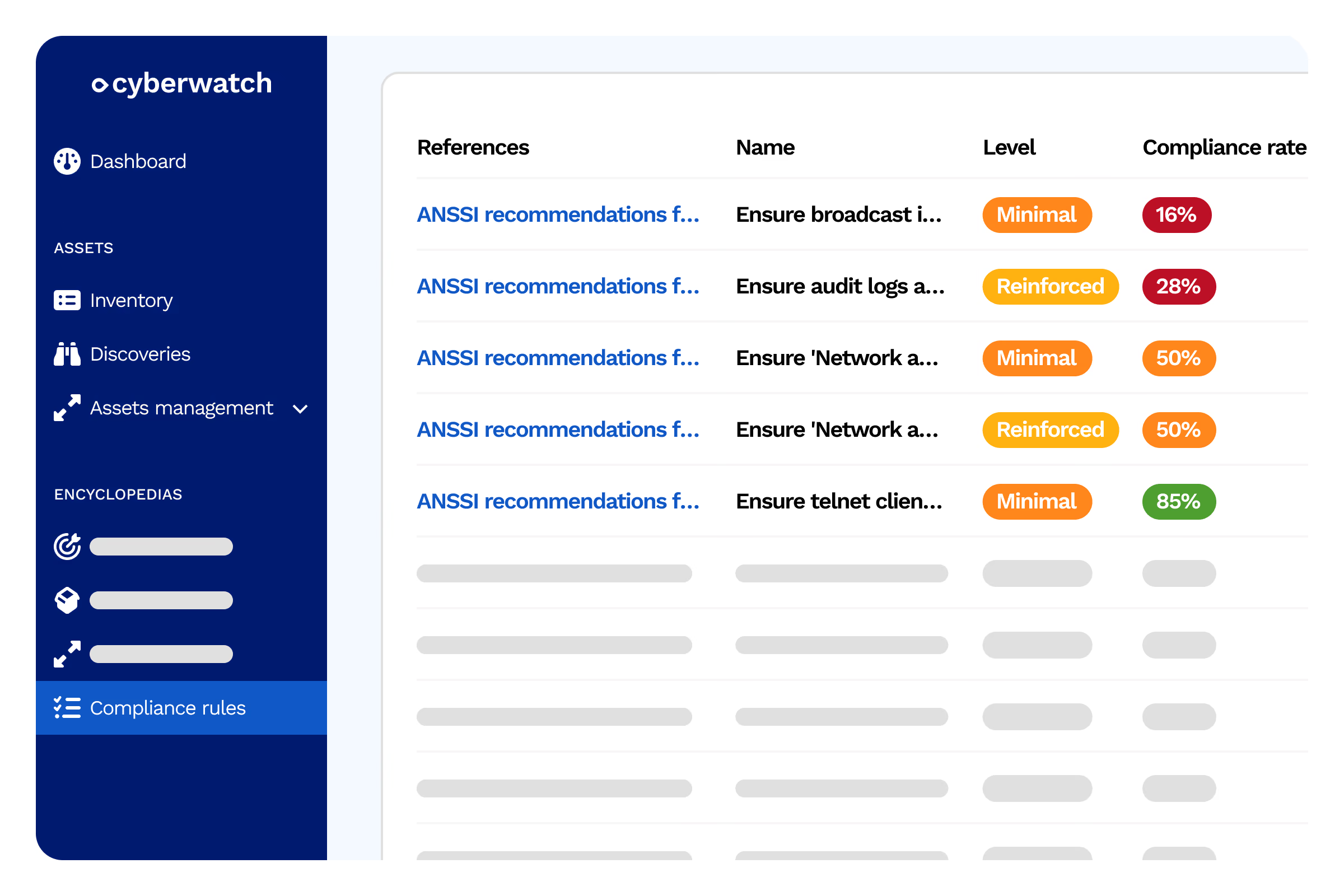
Integrated ANSSI hardening guides: recommendations for Active Directory, Linux, Windows, and GPO. Compliance with French authority guidelines.
Custom repositories
Create your own compliance rules tailored to your internal security policy. Import repositories in OVAL or XCCDF format, or define your own custom controls.
CSPM
Cyberwatch control over your systems
Password policy
Complexity, expiration, history, account lockout
- Item 1
- Item 2
- Item 3
Services and protocols
Unnecessary services enabled, obsolete protocols (SMBv1, TLS 1.0, NTLMv1)
- Item 1
- Item 2
- Item 3
Permissions and access
Critical files, registry, local administrative rights
- Item 1
- Item 2
- Item 3
Logging and auditing
Windows audit policy, Linux syslog, log retention
- Item 1
- Item 2
- Item 3
Firewall and network
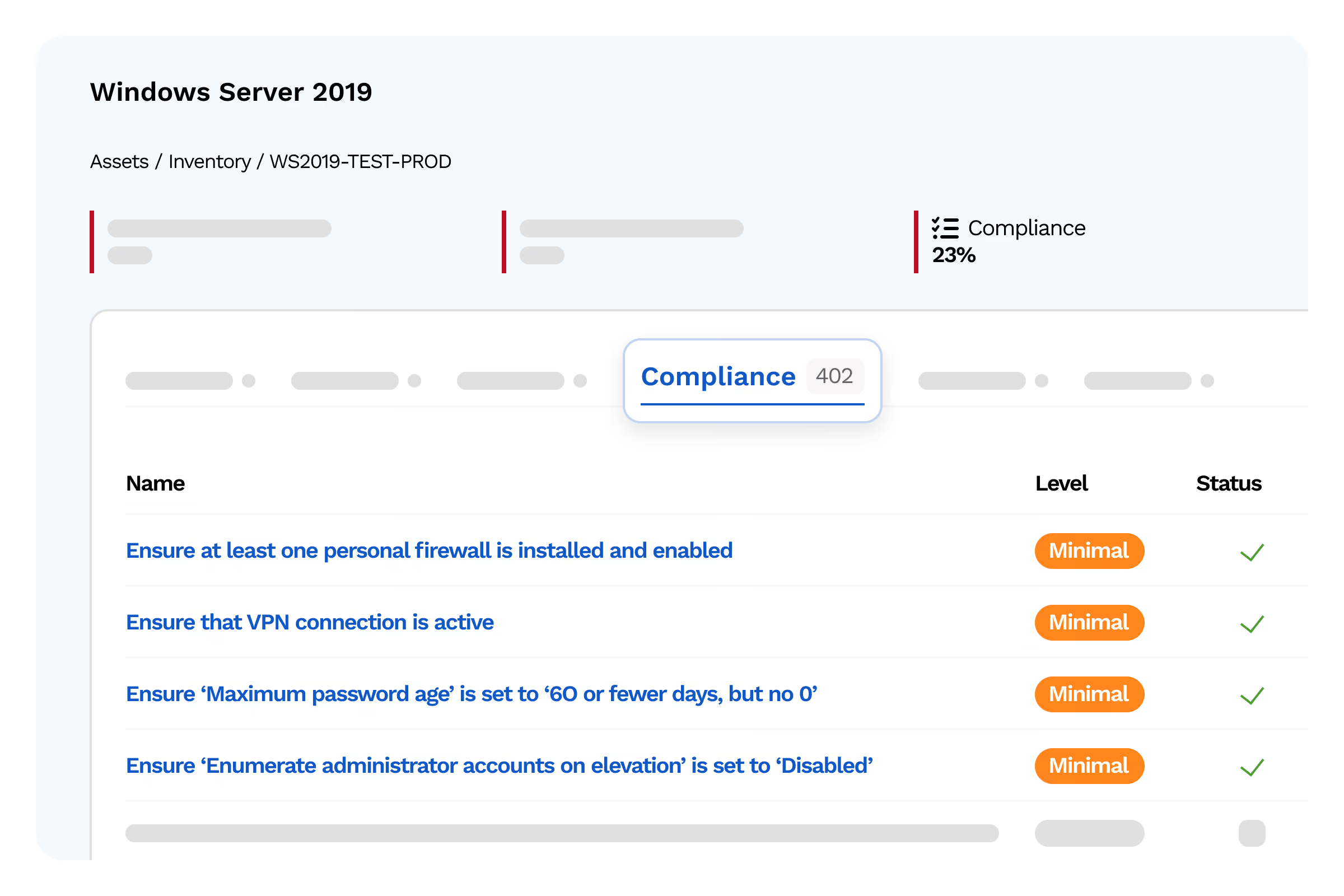
Local firewall rules, open ports, network segmentation
- Item 1
- Item 2
- Item 3
Encryption
BitLocker/LUKS enabled, valid SSL/TLS certificates, cryptographic suites
- Item 1
- Item 2
- Item 3
Cloud configuration
Public S3 buckets, overly permissive security groups, volume encryption, CloudTrail logging
- Item 1
- Item 2
- Item 3
CIS compliance
Rules from the latest CIS Benchmark
- Item 1
- Item 2
- Item 3
remediation
Guided and automated remediation
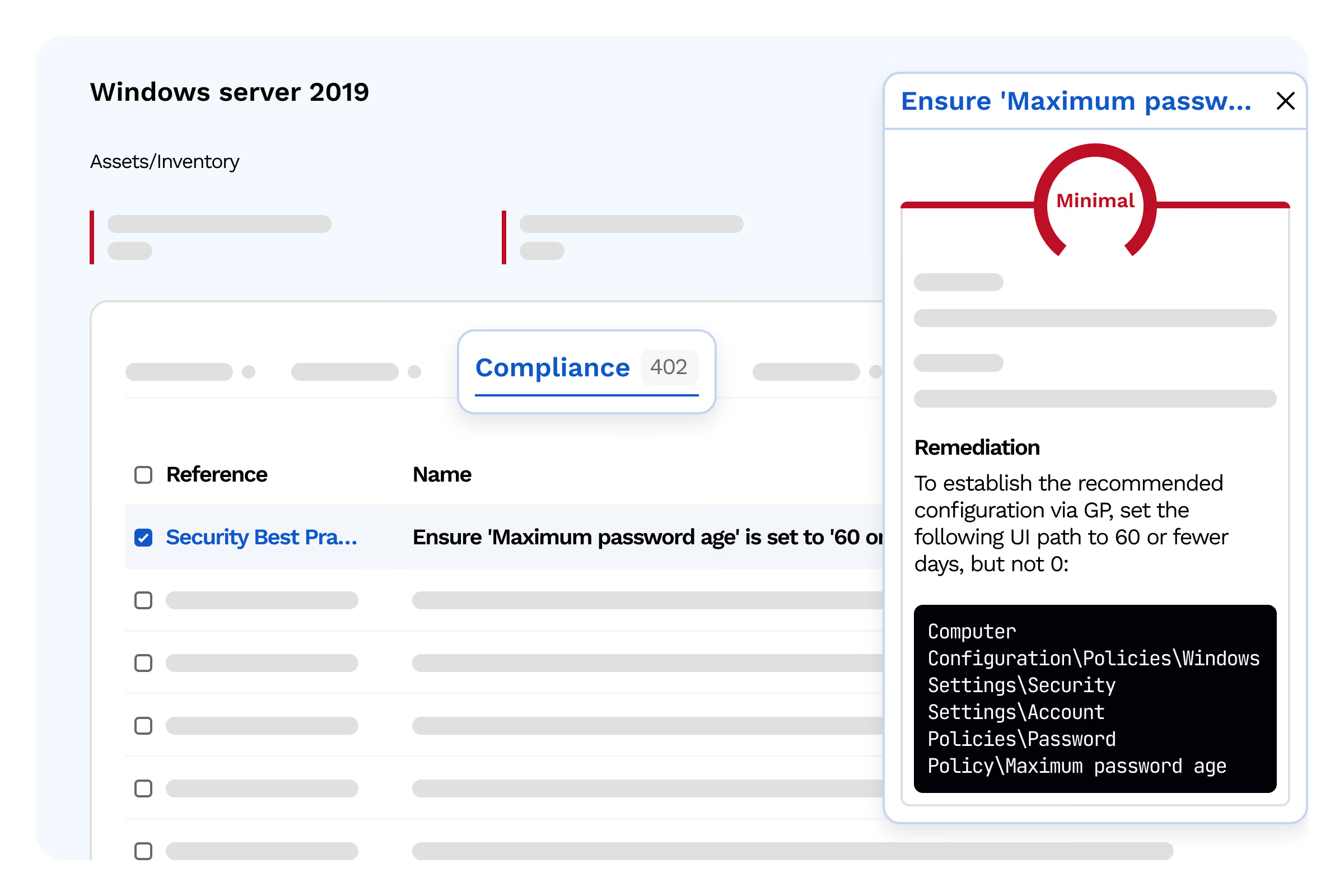
For every configuration gap detected, Cyberwatch provides a detailed remediation procedure and, whenever possible, an automatable remediation script.
Step-by-step remediation procedure for every failed check
- Item 1
- Item 2
- Item 3
Exportable PowerShell / Bash remediation scripts
- Item 1
- Item 2
- Item 3
Tracking hardening progress over time
- Item 1
- Item 2
- Item 3
Automated compliance reports for your internal audits
- Item 1
- Item 2
- Item 3
Configuration hardening complements vulnerability management: together, they drastically reduce your exploitable attack surface.
Testimonials
Le scoring contextuel nous aide à concentrer nos équipes sur les vulnérabilités qui présentent un risque réel pour nos installations, plutôt que de traiter des milliers de CVE sans distinction.

Exemple à remplacer — Responsable cybersécurité, énergie
Responsable cybersécurité

FAQ
From asset mapping to automated remediation.
What are CIS Benchmarks?
CIS Benchmarks are security best practice guidelines developed by the Center for Internet Security. They define the configuration settings to apply in order to reduce the exploitable attack surface across more than 200 technologies (Windows Server, Linux, VMware, Docker, Kubernetes, AWS, Azure, Microsoft 365, etc.).
Can I define my own compliance rules beyond standard benchmarks?
Yes, Cyberwatch allows you to create custom compliance rules aligned with your internal security policy. You can import existing frameworks or define your own specific controls to cover requirements unique to your industry or organization, beyond standard benchmarks.
Why is it necessary to audit system configurations?
Configuration auditing is essential because systems can be vulnerable due to poor settings, such as default parameters, excessive permissions, weak passwords, or unnecessary enabled services. Auditing ensures that configurations meet the hardening standards recommended by ANSSI, CIS Benchmarks, or internal security policies. It helps detect gaps before they can be exploited, prioritize remediation, and demonstrate compliance levels.
How does Cyberwatch help remediate non-compliant configurations?
Cyberwatch automates the detection of non-compliant configurations by leveraging various standards (CIS Benchmarks, ANSSI, internal policies, etc.) and identifies the affected IT assets along with the necessary remediation steps. Your teams receive a precise diagnostic to adjust settings, eliminate poor practices, and strengthen hardening. The platform also allows you to prioritize actions based on risk level, track their progress, and re-run checks after corrections have been made.