
This protocol, which has been considered insecure for over a decade, has resurfaced following the release by Mandiant, a Google subsidiary, of a rainbow table specifically designed to target Net-NTLMv1 hashes.
In short, this table allows NTLMv1 keys to be decrypted in under 12 hours using consumer-grade hardware costing less than $600, effectively turning an affected Windows server into a security sieve in less than a day.
So, how can you protect yourself? And how can Cyberwatch help you achieve this?
Net-NTLMv1: Context of the release and remediation
First, let’s look at the release. On January 15, Mandiant published a rainbow table. This is a precomputed table used to cache the results of a cryptographic hash function, typically for the purpose of cracking password hashes.
The goal of this release was to highlight the urgent need to migrate away from this now-obsolete protocol. Although Net-NTLMv1 (also known as NT LAN Manager) has been obsolete and known to be insecure for decades, Mandiant consultants continue to identify its use in active environments.
Even if Net-NTLMv1 is not currently in use in your environment, it is essential to disable this feature as soon as possible to prevent abandoned legacy servers from becoming an entry point into your IT infrastructure.
Net-NTLMv1 is no longer present by default in Windows 11 24H2, Windows Server 2025, and later versions.
As always, the best approach is to hunt down obsolete assets, and Cyberwatch allows you to discover and list them so you can migrate or decommission them.
It is therefore important to ensure it is disabled for any remaining older or unpatched environments. Fortunately, Windows allows you to verify this configuration, and Cyberwatch can do so automatically.
Using Cyberwatch to verify deactivation
The Cyberwatch compliance module allows you to ensure it is disabled using Group Policy Objects (GPO).
To remediate this issue, the following setting must be configured to "Send NTLMv2 response only. Refuse LM & NTLM":
Computer Configuration\Windows Settings\Security Settings\Local Policies\Security Options\Network security: LAN Manager authentication level
The rule "Set 'Network security: LAN Manager authentication level' to 'Send NTLMv2 response only. Refuse LM & NTLM'" is already included in the CIS_Benchmark repository and allows for the verification of this setting:
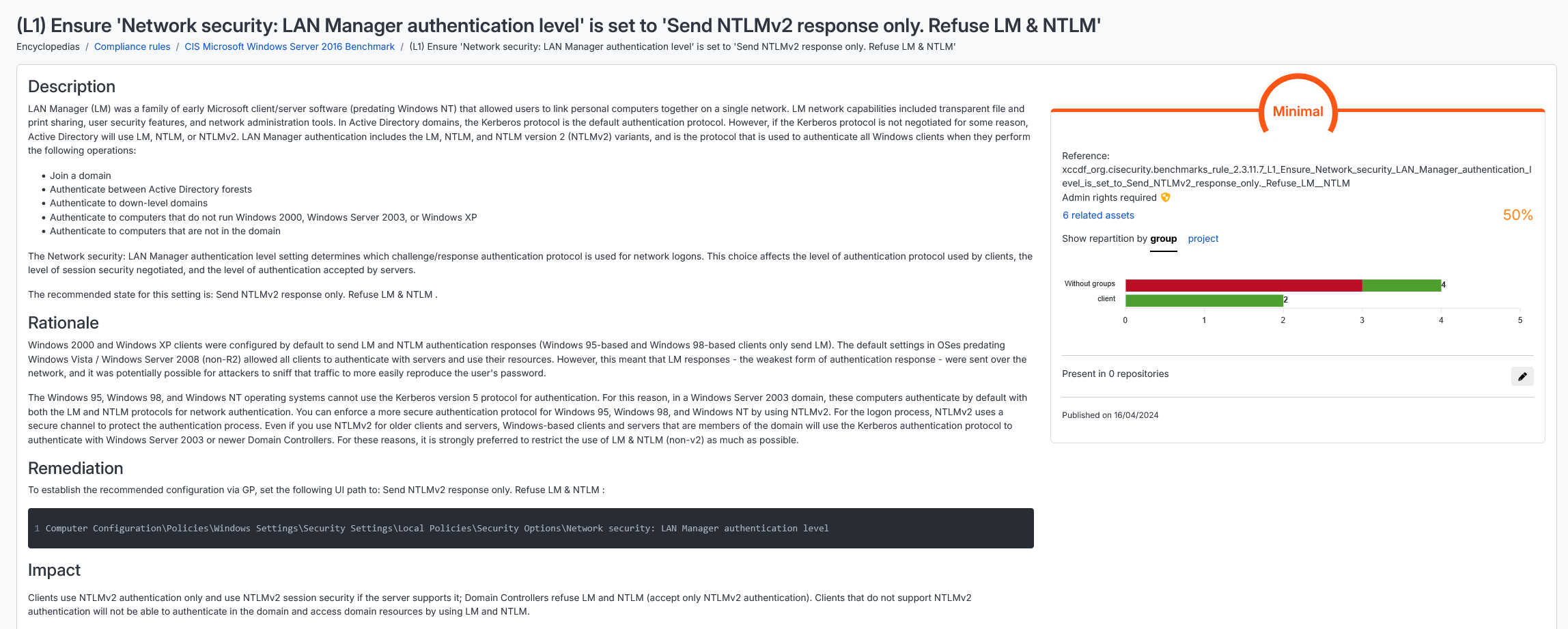
Once the benchmark (CIS Benchmark or custom benchmark) has been added to your assets, if you haven't already done so, simply go to the rule page to check which machines are non-compliant.
Additionally, you can check the machine event logs directly to see if Net-NTLMv1 has been used.
To do this, search for ID 4624: "An Account was successfully logged on." > "Detailed Authentication Information" > "Authentication Package" > "Package Name (NTLM only)." If the attribute is "LM" or "NTLMv1," it means that LAN Manager or Net-NTLMv1 has been used.
Don't wait any longer: use Cyberwatch to identify obsolete and misconfigured assets to speed up remediation!